Check four possibilities in order: the cleaning stage, the part’s current location, the active input or interface, and only then a possible bug. Preserve the save while you identify which category matches what is on screen.
- First-item and cleaning confusion appear in current Steam community discussions.
- A moved item may be on the bench, in another assembly layer, or in a box or inventory location.
- An unresponsive interaction can be workflow, selection, input, or version-sensitive behavior.
- This guide gives no delete-save or file-edit instruction.
Use the Repair Assistant when you want to narrow the problem by workflow stage without revealing every step at once.
Four safe checks
- 01Recheck cleaning
Confirm the part is selected and that you are in the cleaning interaction, not general inspection or assembly.
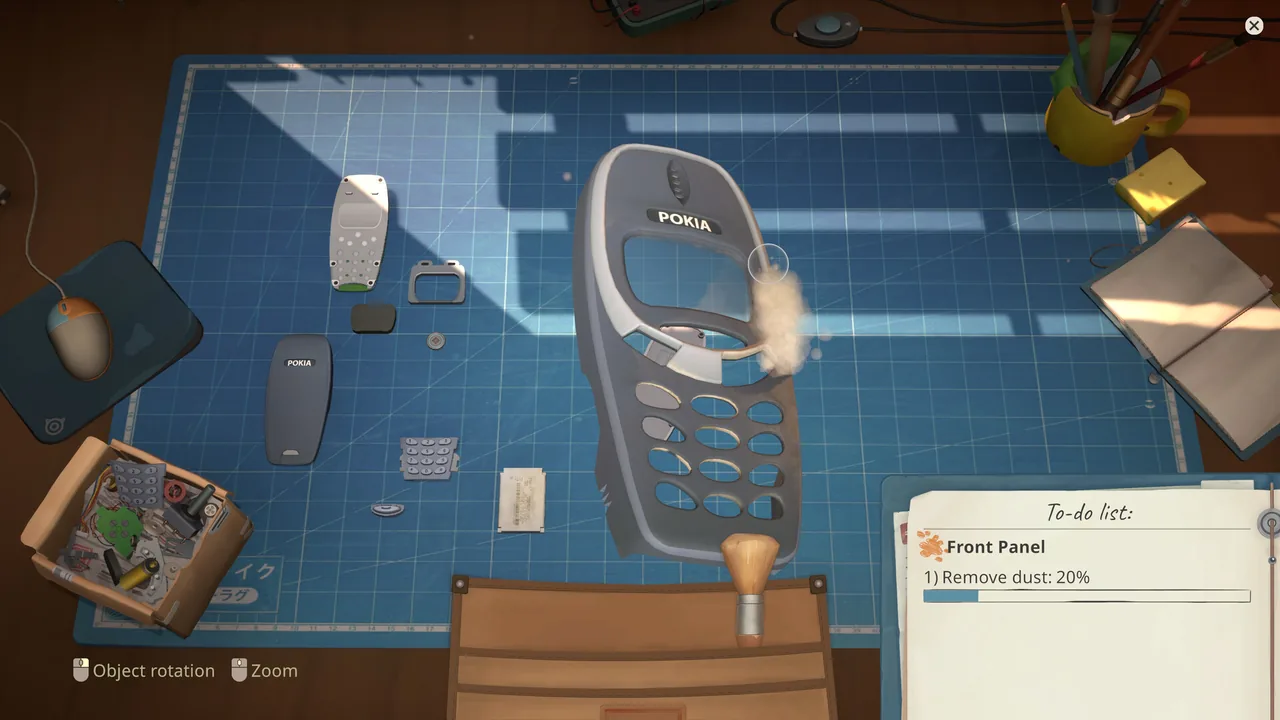
Dust removal on a disassembled phone front panel.Official Steam screenshot - 02Trace the item location
Look across the work surface, current device layer, tray, box, and inventory. Parts can feel missing when they have simply moved out of the active view.
- 03Test the input
Use the same mouse, keyboard, or controller input on a harmless visible control. If that also fails, the problem is broader than the item.
- 04Document a possible bug
If the expected control works elsewhere and the item state remains impossible, record the game version and exact sequence before using the official bug forum.
Cleaning workflow misunderstood
Return to the component, make its selected state visible, and verify the active cleaning tool. The Cleaning Guide separates this normal loop from unresponsive behavior.
Box or inventory confusion
Do not rebuild from memory while a part is unaccounted for. Scan each location the current interface exposes and step back through the assembly layer. Community reports specifically make box or location confusion worth checking early.
Possible technical issue
When reporting, include what the game version shows, which item or part was active, what input method you used, and the final visible state. That evidence is more useful than a destructive experiment and keeps the save intact.
FAQ / QUICK ANSWERS
Questions from the workbench
01Why am I stuck on the first item?
The likely categories are a misunderstood cleaning step, an item moved to a box or inventory location, an input or interface problem, or a version-sensitive bug.
02Where did the part go?
Check the work surface, current device layer, parts tray, box, and inventory locations before assuming the item vanished.
03Should I delete my save?
No destructive save step is recommended here because the Research Pack does not contain an authoritative fix that requires it.
04Is this always a bug?
No. Community threads show both workflow confusion and possible technical behavior, so the safe approach is to separate those possibilities.
05Where should I report a repeatable issue?
Use the official Steam Bugs and Technical Issues forum with the current version, the exact step, your input method, and what you expected to happen.
EVIDENCE LOG
Sources and last checked
- Community report threadStuck at First Item / Cleaning discussion
- Community report threadFirst Day / Atari Joystick discussion
- Community reportsBugs and Technical Issues forum
Research pack checked August 9, 2026. Version-sensitive reports are labeled in the article.